Product Design · UX · Next.js · SwiftUI · System Architecture
Designer-developer building clear tools for complex systems.
I combine product design, frontend development and native applications to create visual, information-rich tools for games and creative workflows.
TableTopGames — game portal
Selected work
Three projects that show how I think, not just what I've shipped.
TableTopGames — game portal
01 — TABLETOPGAMES
A modular digital workspace for tabletop roleplaying campaigns.
A platform combining character sheets, campaign management, collaborative game tables, rules references, journals, media tools and game-specific systems within one extensible product. The current game domains are Vampire: The Masquerade V5 and Pathfinder 2.
Product architecture · UX design · Full-stack development
2026 · In active development
02 — RENA COMPANION
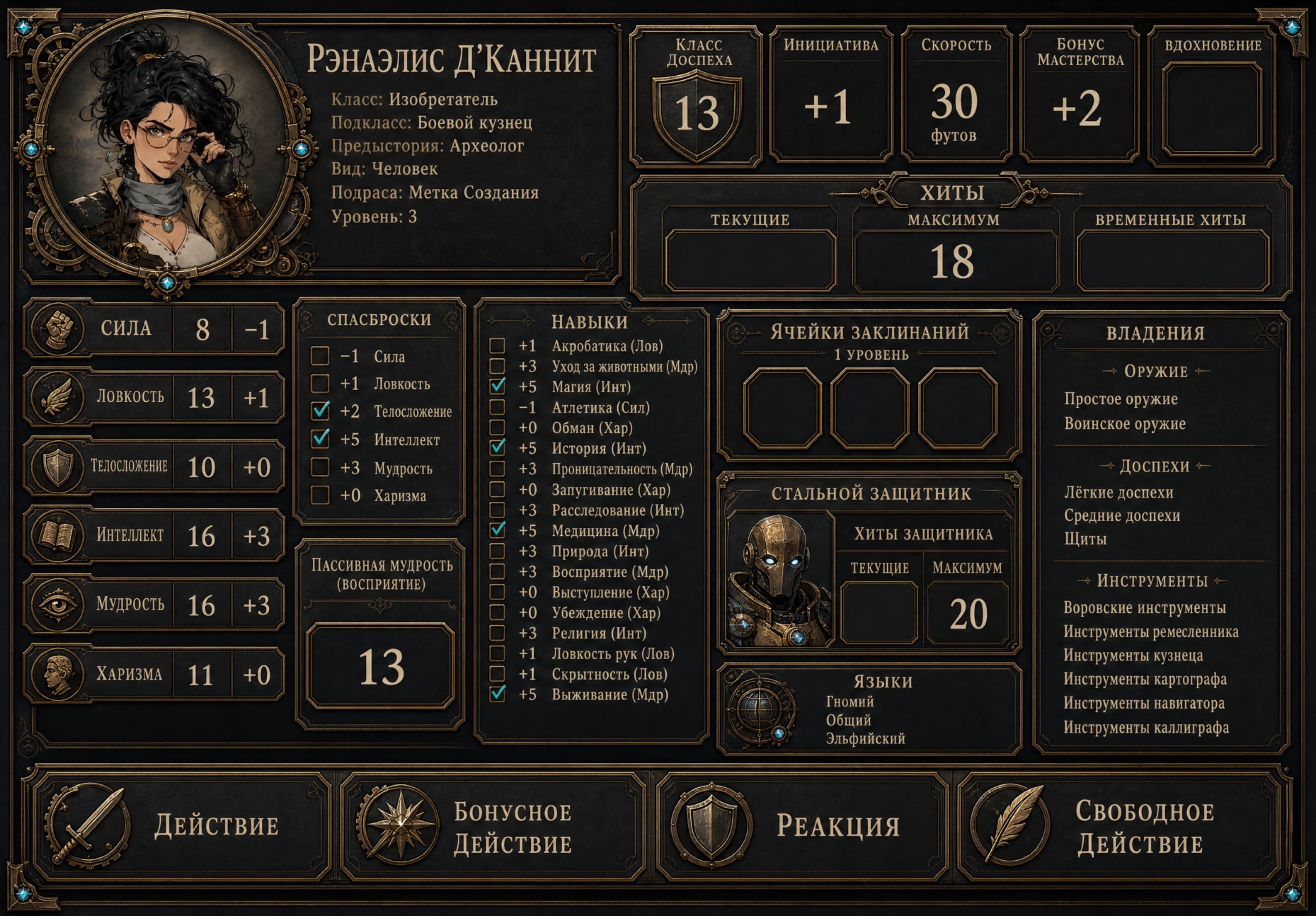
An offline iPad companion that turns a complex tabletop character into a fast, visual interface for live play.
A native, fully offline iPad app for playing Renaelis d'Cannit, a 3rd-level Battle Smith Artificer. It combines a live dashboard, three interactive maps, a local rules compendium, search, and tracked game resources — with no dice roller, no server, and no account.
Native iOS development · Information architecture · Visual design
2026 · Personal project, in active use at the table
Naila — Unreal Engine 4
03 — NAILA
A solo Unreal Engine 4 project built to practice character movement, level design and visual storytelling.
Naila is a solo project built in Unreal Engine 4. It sits earlier in Anna's path than TableTopGames or Rena Companion, and shows the visual and game-design foundation that later work builds on, rather than a current product focus.
Level design · Visual storytelling · Interactive systems
2023 · Completed (coursework)
Smaller projects
Experiments and earlier work
Shorter explorations across engines and tools — where a lot of the systems thinking started. A few are directly interactive below.
01
Farm — 3D asset library
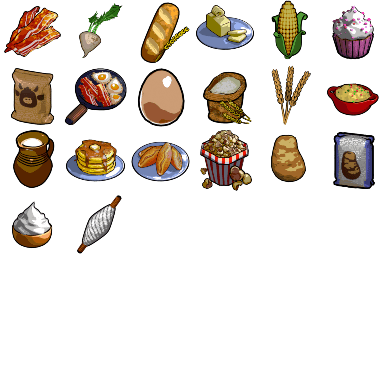
An isometric farming and cooking game prototype in Unity, with a full set of hand-modeled ingredient and building assets — browsable here in 3D.
02
Air Alarm
A Unity scene about reacting to an air raid alarm at home — doors, a backpack and other objects respond to interaction.
03
Blender Studies
Short environment, shading and simulation studies — a cyberpunk city block, a fantasy forest, and a cloth study.
Cyberpunk city
Forest
Flag colored
04
Naila Interfaces
Interface design work for Naila — an interactive Figma prototype, browsable below.
05
Aavarat Meser 2
A video, voice and music installation piece built at Shenkar College. This web adaptation preserves the shuffled visual sequence, music/voice ducking and gamepad-style controls without loading Unity.
Video sequence
Dice
Come Back Home
Voice note 08
How I work
Same process, whatever the platform.
01
Understand the system
Map the users, their roles, the entities involved, how they relate, and what constrains the design.
02
Structure the information
Build the information architecture, separate primary data from secondary, define the real user scenarios, cut visual noise before any screen is drawn.
03
Prototype the interaction
Sketch the flow, wireframe it, and test navigation against the scenarios that actually matter.
04
Build the product
Implement the interface and the architecture behind it, wire up real state, make it responsive, and fix what only shows up in practice.
05
Iterate
Use the product, collect what doesn't work, simplify, rework, and document why each decision was made.
About
I started in graphic and game design, and moved toward code to build the systems behind the screens myself.
That path — visual design, interactive systems, then frontend and native development — is what shapes how I approach a product: understand the system first, then design and build the interface for it.